WHAT'S NEW

What has changed most recently.

We write down here what has been added — the way we would explain it to you on the phone. One entry every two to four weeks, the newest at the top. The screenshots come from the running system.

24 AUGUST 2026

The assistant can now do fifteen things

Ask it where a matter stands, what falls due this week, what the fees come to at a given transaction value, or how a clause was worded in an earlier deed: fifteen tasks it now takes off your hands, and above every answer it says what it did to get there. Each conversation stays with its matter — you can pick it up later, rename it or delete it. And when an answer is heading the wrong way, you stop it with one click instead of waiting it out.
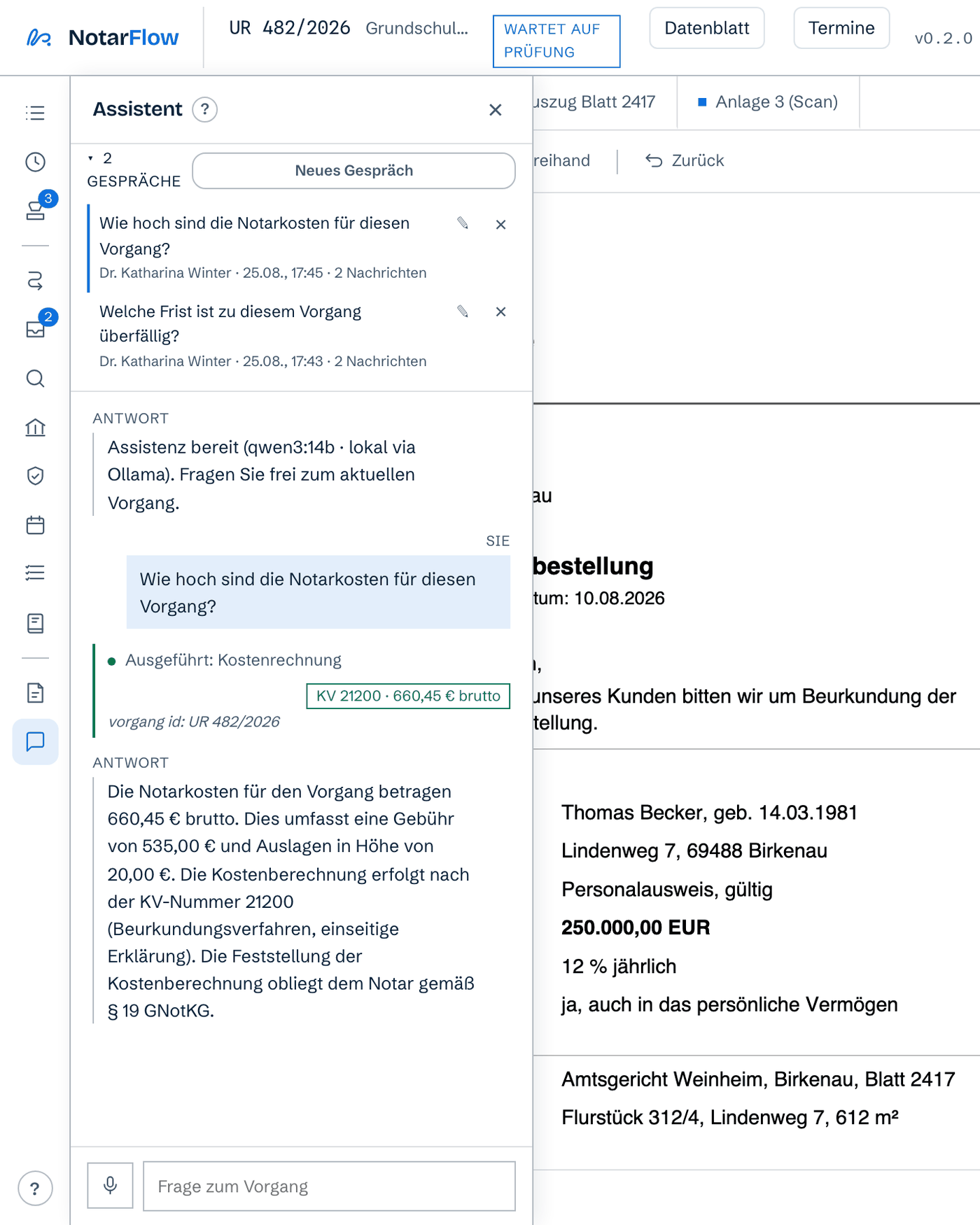
The assistant answering the question about the notary's fees on matter UR 482/2026; above the answer it names the capability it used, and above that the list of saved conversations.

Shown in German here. A fictional matter at the fictional practice Dr. Winter — as on every image on this page.
24 AUGUST 2026

Connect your own programs — under the same rules

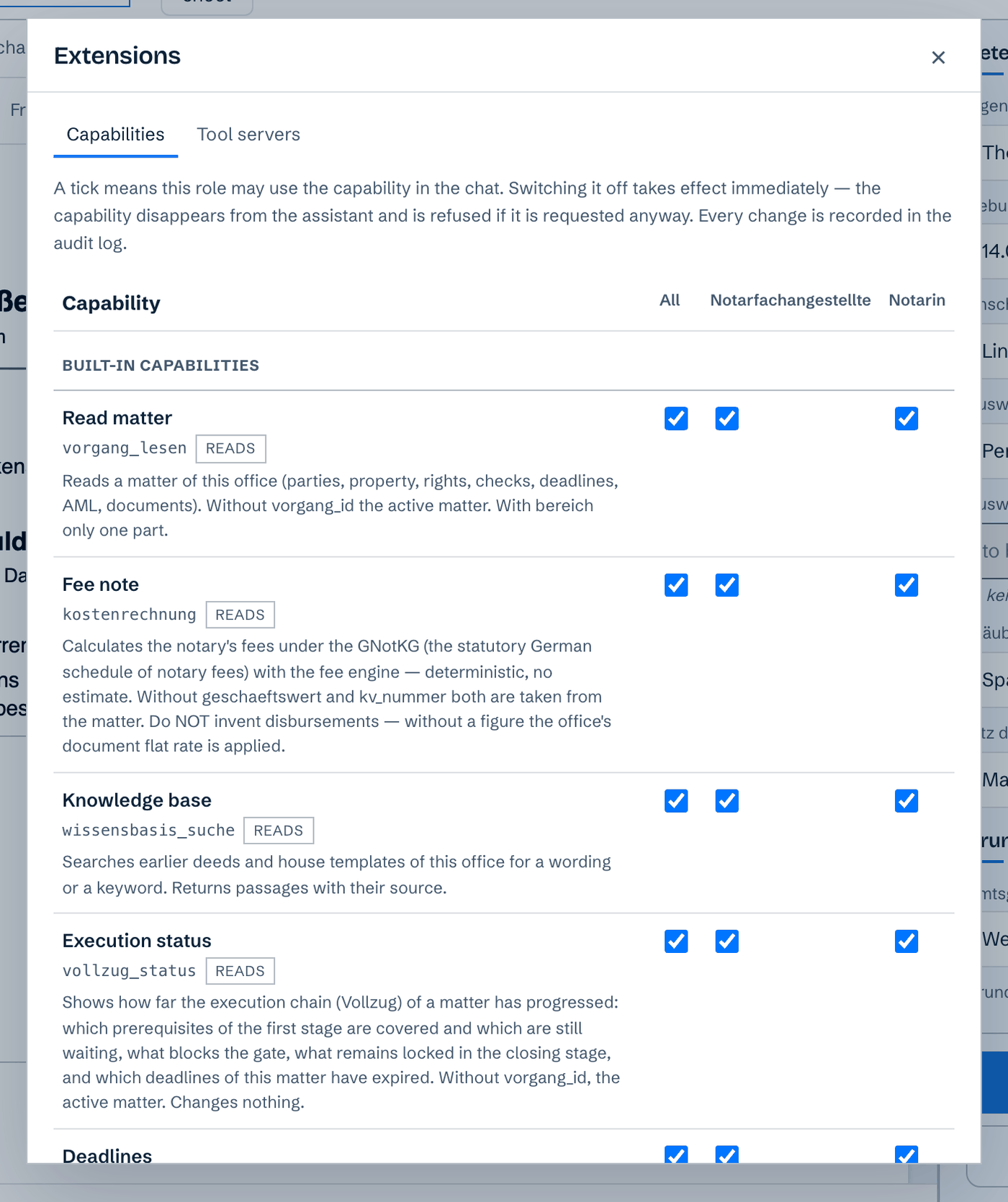
Many practices run programs that exist only in their own office: an address book, an archive, a specialist application. Such programs can now be attached, and the assistant then uses them exactly like its own capabilities — at the same distance: nothing is changed without your approval, nothing leaves your building on the way, and every step is in the log. The new overview shows what is attached and which role in the office may use what; take one tick away, and that capability is gone at once.

The Extensions overview: one row per capability, one column per role in the practice, with tick boxes to switch them on and off.

One row per capability, one column per role.

24 AUGUST 2026

A week to try it, with nothing installed

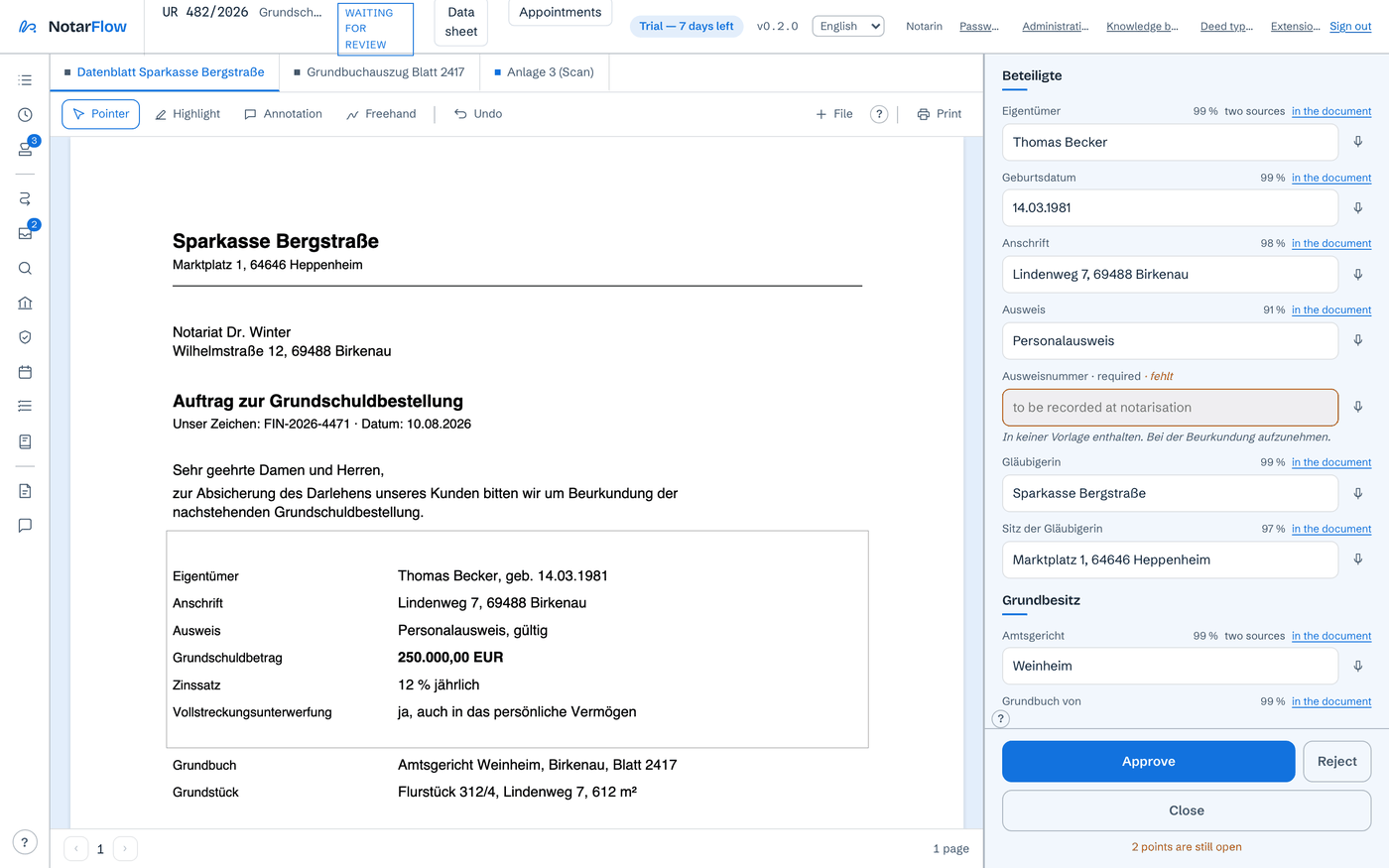
You can now try NotarFlow for seven days without anyone setting anything up at your end: you receive a small file that unlocks the program for that week — the work happens on fictional matters at a fictional practice. The header says how many days are left; once the week is over, a screen offers two ways on — arrange a conversation or write to us — and everything you entered stays where it is. And if you would rather work in English, you switch the language at the top — the interface, the labels and the messages change with it.

The program in English, with the note in the header showing how many days of the trial week are left.

The English version, with the note on the running trial week.

ABOUT THE SCREENSHOTS

Everything on this page is a made-up matter at a made-up practice. There is no client data on these images and there never was — it is the same demo practice we show in the demo and in the training videos.

READ ON

Rather see it for yourself?

Thirty minutes on the live system, one land-charge case from inbox to approval — and afterwards, on request, the trial week from the entry above.